We Were Here Tomorrow Controls: PC and Console Guide
Learn We Were Here Tomorrow controls for PC and controllers, including radio use, Hook Gun basics, Goop Gun basics, remapping, and smoother co-op play.
Jump to
We Were Here Tomorrow Controls at a Glance
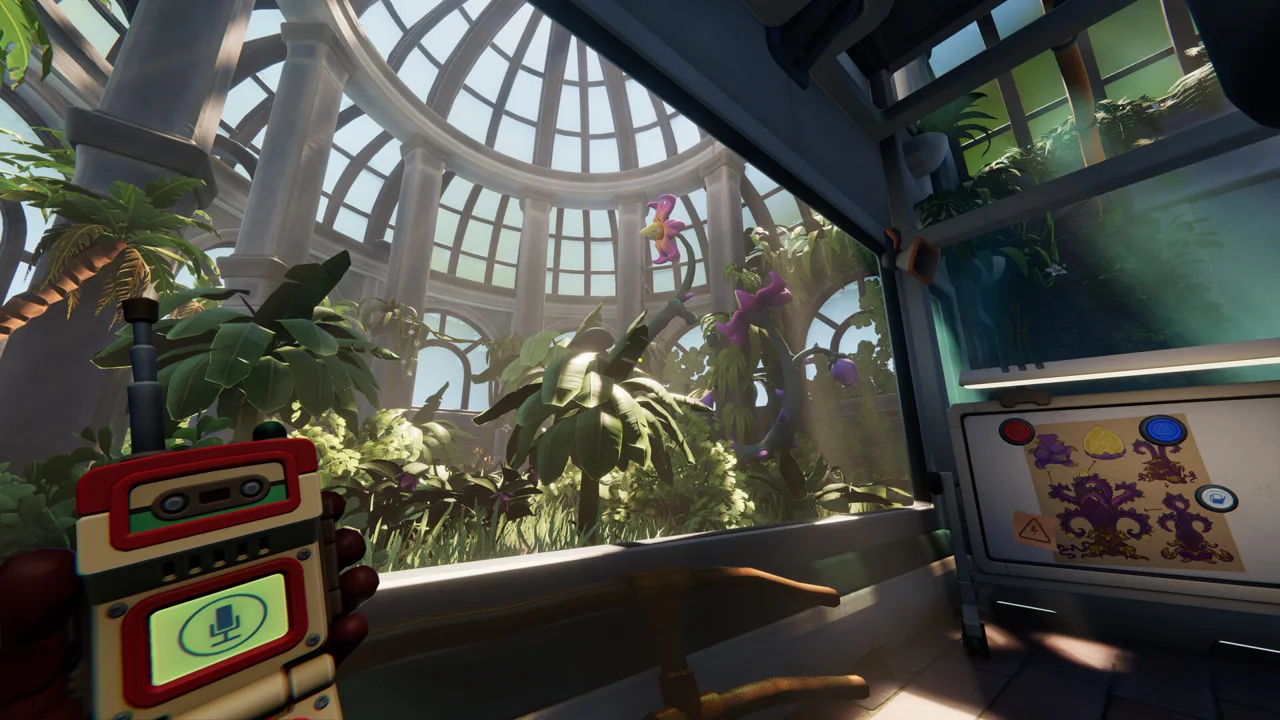
A missed interaction can leave your partner waiting behind a locked door while you wrestle with a lever. Learn the We Were Here Tomorrow controls early so you can focus on the puzzle instead of the input. This We Were Here Tomorrow controls guide covers PC inputs, controller features, communication, and the different tools each Explorer carries.
On PC, start with left-click for the opening cooperative interaction and T for the emote wheel. Follow the movement and equipment prompts as those actions become available.
| Action | PC input | Practical use |
|---|---|---|
| Opening cooperative door | Hold left mouse button alongside your partner | Both Explorers participate in opening the door |
| Open emote wheel | T | Select gestures once the wheel becomes available |
Keep holding versus tapping in mind. Some interactions require sustained input, including mechanisms that both players operate together. Clicking once and waiting for your partner can leave your side inactive.
The opening cooperative door introduces that distinction immediately: both Explorers need to participate. Before assuming the mechanism is broken, check that you are each holding the interaction.
Climbing also deserves attention. A ledge that looks slightly too high can be part of the intended route. Check the movement prompt at an accessible edge before searching for an entirely different passage.
For the We Were Here Tomorrow controls you use constantly, practice each action when its prompt appears. During the wellness check, compare the mechanisms in your room with the instructions your partner can see. Identify which interaction each picture represents before starting the requested sequence.
Radio Controls and Clear Co-op Communication
Your partner often has the information you need while you have the controls needed to act on it. The walkie-talkie connects those two halves.
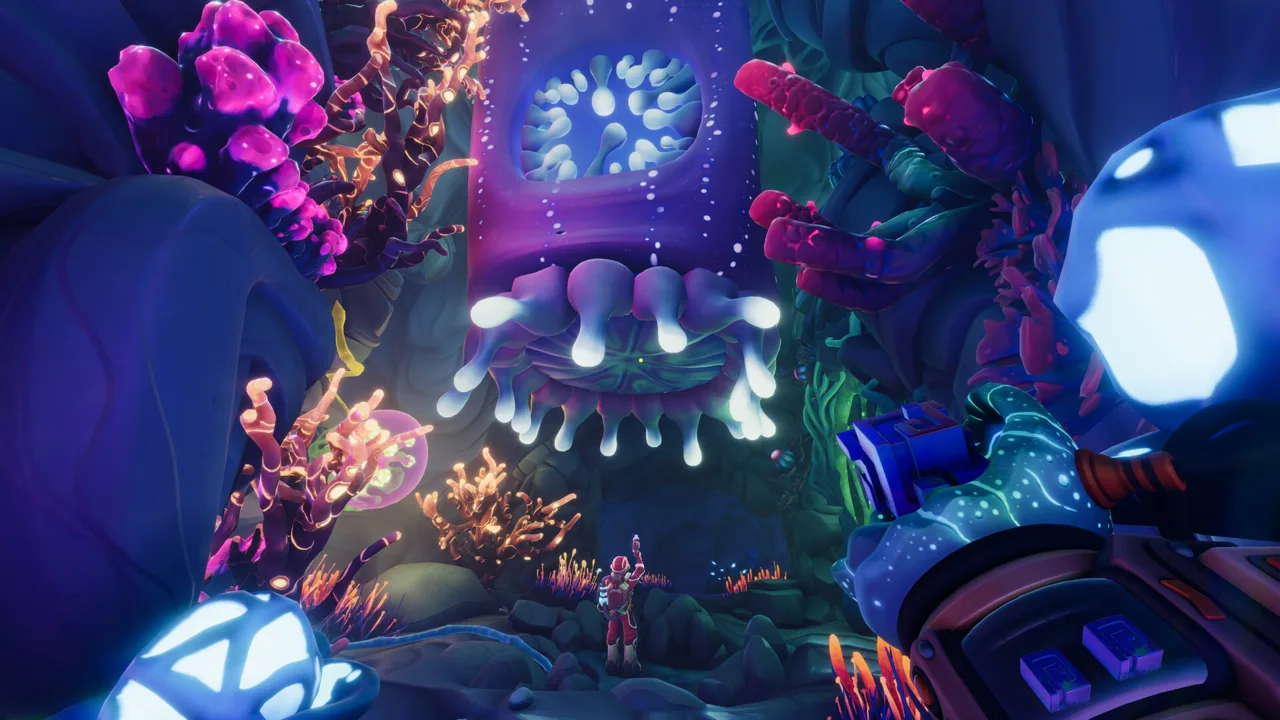 Image: Steam / Total Mayhem Games
The PC demo includes push-to-talk communication. Follow the radio prompt when learning that input. Proximity Chat also allows nearby Explorers to communicate alongside the walkie-talkie system.
Keep the communication method and the information you exchange separate:
| Communication feature | Where it applies | What to remember |
|---|---|---|
| Push-to-talk radio | PC demo | Take turns giving instructions and answering |
| Walkie-talkie communication | Separated puzzle areas | Describe the clues your partner cannot see |
| Proximity Chat | When Explorers are nearby | Use nearby conversation alongside the radio system |
Follow the control prompts in the release version when learning your equipment.
With We Were Here Tomorrow controls, clear communication helps you connect an input to its effect. Finish your instruction and give your partner room to respond. Ask what changed on their side before issuing the next command.
Use short descriptions that identify a symbol’s actual features. “Sun” can describe several different buttons. “Filled center, outer circle, straight rays” gives your partner something specific to compare.
Before entering a sequence:
- Agree on the reading direction.
- Distinguish filled shapes from hollow ones.
- Specify whether arrows point inward or outward.
- Repeat the full sequence before activating it.
- Read the display again after a failed attempt.
Some symbol sequences change after a reset. Repeating the previous answer can keep you stuck even after you understand the mechanism.
When your viewing angles differ, establish a shared orientation before issuing directional instructions. Use recognizable landmarks instead of assuming that your partner’s “left” matches yours.
Separate button locations from input order, too. In the opening console puzzle, identifying which button matches a symbol is only part of the task. Compare that arrangement with the required sequence before pressing anything. Say “the butterfly is the middle button” before discussing when to activate it.
For longer descriptions, let your partner repeat the identifying details before committing to an input. Check the center, surrounding lines, and arrow direction separately. Two symbols can share an overall silhouette while differing in the detail that determines the correct button.
Hook Gun, Goop Gun, and Inventory Interactions
The equipment split adds another layer to the We Were Here Tomorrow controls. Each Explorer carries a different tool, so reaching a mechanism does not automatically mean you are the player who can operate it.
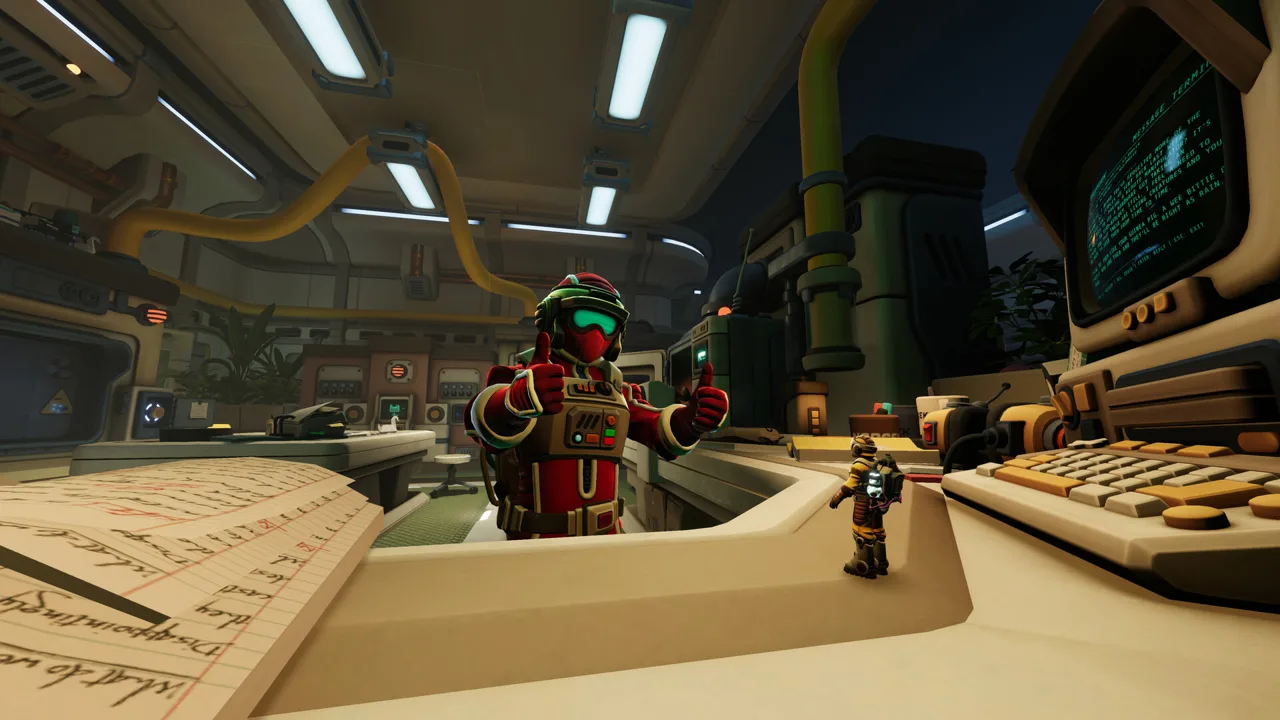 Image: Steam / Total Mayhem Games
The Hook Gun and Goop Gun give the Explorers distinct equipment roles. Work together and compare your available actions before tackling an obstacle.
| Equipment or interaction | Action or feature | Practical reminder |
|---|---|---|
| Hook Gun | A distinct tool carried by one Explorer | Read its equipment instructions separately |
| Goop Gun | A different tool carried by the other Explorer | Compare your equipment with your partner’s |
| Cooperative mechanism | Requires both Explorers to participate | Coordinate your inputs before beginning |
Read the Equipment Prompt
Check the equipment tutorial before attempting a coordinated action. Identify your tool’s available inputs, then compare the obstacle with the equipment each Explorer carries.
Follow the wires to distinguish the available controls. Ask your partner to watch the relevant device while you operate a control.
Describe your intended result before acting. “I’m operating this handle; watch the door” gives your partner a specific change to check. If nothing happens, compare the mechanism’s state with the information on the other side.
Coordinate Your Distinct Roles
Both Explorers have their own equipment and perspectives. When one player reaches an obstacle, check what the other can see before deciding who should act.
Explore the visible controls together through conversation. Name the handle, display, or access point you are examining, then ask your partner whether anything on their side corresponds to it.
Keep navigation and puzzle instructions separate. First explain where your partner needs to look. Then describe the action you want them to perform. Combining several directions with an equipment instruction makes it harder to identify which part needs correcting.
The same principle applies when the room changes orientation. Reestablish your positions before continuing an earlier instruction. A mechanism above one Explorer can appear beside the other.
Check the Item in Your Hand
Before placing an access card or transferring a canister, check that you have selected the intended item and are facing the corresponding interaction point.
Before attempting an item interaction:
- Select the intended item.
- Face the object you want to examine.
- Check the interaction prompt.
- Activate it and watch for the resulting change.
Controller Controls and PS5 Customization
We Were Here Tomorrow supports controller play, including on PC. Steam includes DualShock and DualSense support, with partial controller support for the PC version.
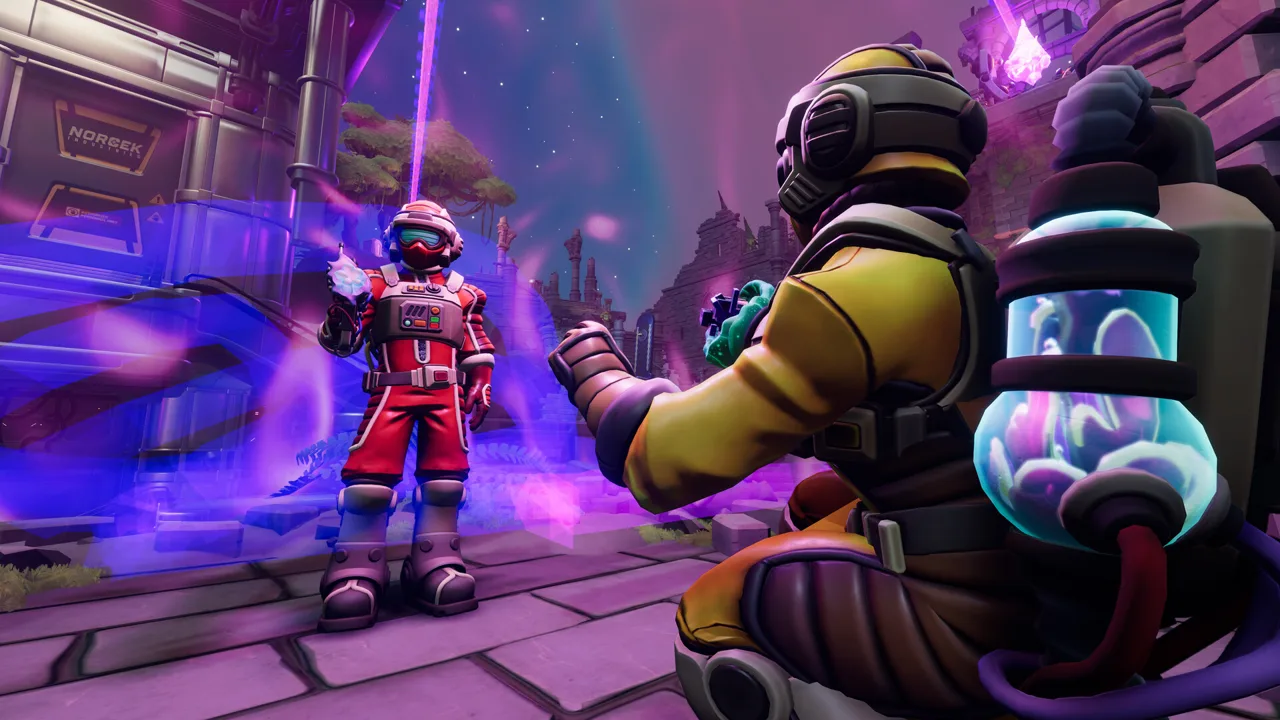 Image: Steam / Total Mayhem Games
Check your current button configuration before starting, especially after remapping.
| PS5 feature | Available customization | How to use it |
|---|---|---|
| Controller remapping | Full control customization | Move frequent actions to comfortable buttons |
| Stick sensitivity | Basic sensitivity options | Adjust camera response |
| Stick inversion | Basic inversion options | Match your preferred camera direction |
| Vibration | Play without vibration or haptic feedback | Disable it if you prefer |
| Motion and touch input | Neither is required | Play using conventional controller inputs |
When adjusting We Were Here Tomorrow controls on PS5, prioritize interactions you perform while aiming or moving. Test the new arrangement on an accessible mechanism before returning to a coordinated puzzle.
Adjust stick sensitivity while looking between nearby objects. Use a setting that lets you settle on a small target without repeatedly overshooting it.
Gravity-changing rooms make camera orientation especially noticeable. Stop after a rotation, identify your new floor, and locate the next mechanism before turning rapidly again.
The game supports crossplay between PC, PS5, and Xbox Series X|S. When playing across platforms, call out actions such as “operate the handle” or “use your tool.” Your partner can translate that instruction into their own button layout.
If you change a binding during a session, review it before the next coordinated interaction. Give yourself time to distinguish the new input from the familiar one, particularly when a mechanism requires holding rather than tapping.
When an Interaction Will Not Work
Before changing the We Were Here Tomorrow controls, check the puzzle state. A correct input can appear ineffective because the mechanism lacks power, requires a different tool, or depends on your partner.
Check Power and Access Requirements
Follow the wires to distinguish the available controls instead of repeatedly clicking a locked door.
Opening a passage can give your partner access to another part of the puzzle. Ask what became reachable before assuming that the opened door is your shared exit.
Check your partner’s display after completing an earlier stage. During the wellness check, the information changes from abstract symbols to pictures representing physical controls. Revisit the screen before assuming there is nothing else for the observing Explorer to do.
Inspect the whole display rather than relying on the previous instruction. A newly active screen can change which player has useful information and which player needs to operate the machinery.
Separate Ordinary Interaction From Tool Use
Call your partner over when the obstacle matches their equipment. Compare the obstacle with both tool tutorials before repeating the same action.
Check whether you are examining a control, reading a clue, or trying to move an object. Explain which of those actions you are attempting so your partner can connect it with what they see.
When neither player finds an immediate interaction, describe the room’s visible machinery and displays again. Include controls that were inactive earlier; completing one stage can make another interaction available.
Wait for the Result
Watch the mechanism, indicator, or item transfer before repeating the command.
Check the final result together. An electrical effect alone can be misleading if the expected passage remains closed or the next controls stay inactive.
Recognize a Technical Problem
Launch-version issues include broken voice communication and interrupted item interactions. A missing item or an interaction that stops working after previously responding deserves a different response from a door that still needs power.
Check the developer’s support resources through the Total Mayhem Games official website. When describing the problem, include your platform, the room, the item involved, and whether it affects one Explorer or both.
FAQ
What are the basic We Were Here Tomorrow controls on PC?
Hold left-click for the opening cooperative door, and use T to open the emote wheel once available. Follow the movement and equipment prompts as you encounter each action.
How do you use the walkie-talkie?
The PC demo uses push-to-talk communication. Follow the radio prompt and give your partner a chance to answer after each instruction, especially when describing changing symbols.
Can you remap the controls on PS5?
Yes. PS5 supports full controller remapping and basic stick sensitivity and inversion adjustments. Motion controls, touch controls, and vibration are optional.
Can PC and console players play together?
Yes. We Were Here Tomorrow supports crossplay across PC, PS5, and Xbox Series X|S. Describe puzzle actions by name when coordinating with someone using a different controller or keyboard layout.
Continue with
 We Were Here Tomorrow Walkie Talkies: Tips and FixesLearn how We Were Here Tomorrow walkie talkies work, share clues through co-op puzzles, and troubleshoot microphone issues and broken voice chat on PC.
More in Guide
We Were Here Tomorrow Achievements: Full List & Tips
Track all 37 We Were Here Tomorrow achievements with Steam unlock rates, practical co-op puzzle tips, and a focused checklist for your completion run.
We Were Here Tomorrow Cross Play: Platforms & Co-Op
We Were Here Tomorrow cross play connects PC, PS5, and Xbox Series players. Explore platform compatibility, co-op requirements, and tips for a co-op night.
We Were Here Tomorrow Friend Pass: Do You Need Two?
We Were Here Tomorrow friend pass explained: learn whether both players need a copy, what co-op requires, and how to plan your next puzzle night together.
We Were Here Tomorrow How Long To Beat: Time Guide
We Were Here Tomorrow how long to beat? Plan for 10–15 hours of co-op puzzles, explore completion estimates, and organize your sessions with a partner.
Join the community
Official channels for news, updates and player help: